Resources
Implementation and support

A clear path to live. Not a surprise project.

Software fails in police services when nobody mapped the workflow, the rules were configured from a memo instead of the agreement, and the vendor disappeared after go-live. One Bridge Tec implementations start with discovery, configure your rules with your association in the room, import the data you already have, and stay through the first live cycles.

At a project kickoff in a police headquarters training room, an implementation consultant maps a workflow on a whiteboard while a staff sergeant listens with arms folded and an HR manager follows along on a laptop.
Discovery firstworkflows, owners, and exceptions mapped before anything is configured
Your agreementfairness rules configured from the collective agreement, walked through with the association
Your datarosters, credentials, clients, and rate cards imported from the exports you already have
Live cyclesfirst paid-duty weekend and first payroll close supported by the implementation team
Why implementations fail

The software is rarely the problem. The project is.

Mapping

Nobody wrote down how it actually works

The vendor configured the textbook process. The service runs on the version the coordinator carries in her head, with the exceptions the sergeants know. Go-live is where they meet.


Rules

Fairness configured from a memo

Seniority, rotation, and rest rules were set up from a summary, not the agreement. The first grievance found the difference.

Data

The migration nobody scoped

Rosters in one system, credentials in a spreadsheet, clients in email. Staff spent the first month re-keying instead of using the product.

Support

Go-live, then a ticket queue

The people who understood the configuration moved to the next customer. The first payroll close was handled by someone reading the manual.

The path to live

Five steps, each with a named owner on both sides

Every implementation follows the same five steps. What changes is the depth of each one, which we agree on in discovery, not after kickoff.

01

Discover

Map paid duty, callbacks, overtime, hiring, and onboarding as they really run, with the people who run them. Agree scope, timeline, and owners.

02

Configure

Roles, permissions, request types, rate cards, and fairness rules set from your agreement and policies. Association walkthrough where you want it.

03

Import

Rosters, ranks, seniority, credentials, clients, and open requests mapped from your exports, test-loaded, reviewed, then loaded for real.

04

Train

Coordinators and HR on your configuration and your requests. Members in a fifteen-minute briefing. Clients on the portal with their own requests.

05

Launch

Go live with the implementation team on the line through the first live cycles: the first paid-duty weekend, the first callback, the first payroll close.

What the work looks like

Configure, import, train

The three parts of an implementation that decide whether a service is using the product in month two or still working around it.
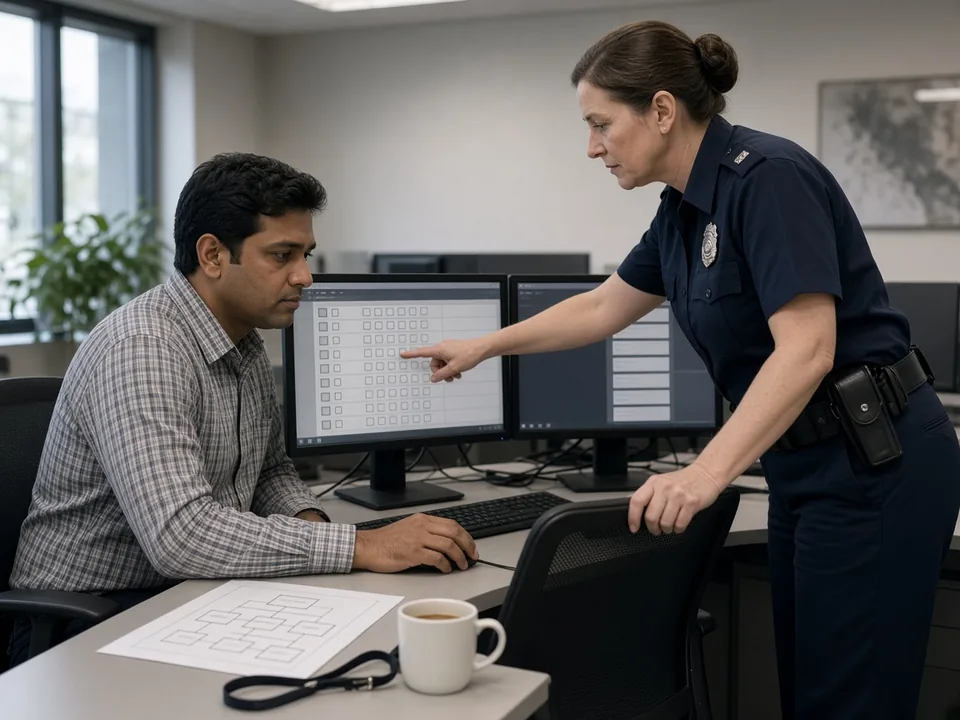
A civilian systems administrator and a uniformed staff sergeant review a role-permissions matrix on two monitors during configuration
Discover and configure

Your agreement becomes the rules, with the people who wrote it in the room

Discovery maps how paid duty, callbacks, overtime, hiring, and onboarding actually run at your service: who requests, who approves, who gets offered work in what order, and where the exceptions live. Then we configure roles, permissions, rate cards, and fairness rules from your collective agreement and policies, and walk the result through with your association before it touches a real shift.

  • Workflow mapping with coordinators, HR, finance, and a sergeant who does the job
  • Seniority, rotation, equalization, credential, and rest rules configured from the agreement
  • Association walkthrough of the fairness rules before go-live, where you want it
What coordinators get
A civilian data analyst and an implementation consultant map columns from an old export to the new system on a laptop in a records office
Import

Bring the data you have, not the data you wish you had

Rosters, ranks, units, seniority dates, credentials, client lists, rate cards, and open requests usually live in a scheduling export, a few spreadsheets, and someone's memory. We map what you have into the record, confirm the mappings with your data owner, run a test import you can inspect, and only then load it for real. Nothing gets re-keyed by your staff.
  • Import profiles for common scheduling and HR exports, plus plain spreadsheets
  • Test import reviewed by your records or HR lead before the live load
  • Credentials and expiry dates loaded once, so eligibility works from day one
The employee record
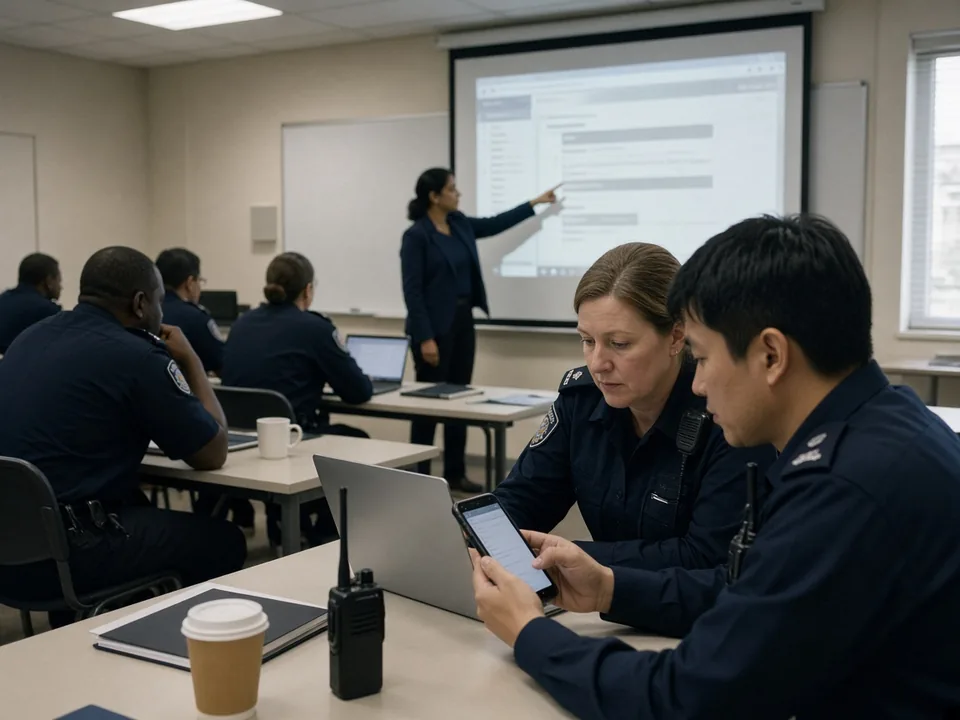
Uniformed officers in a training classroom try the member view on their phones while a trainer points at the projected screen
Train and launch

Coordinators trained on your requests. Members trained in fifteen minutes.

Administrators and coordinators are trained on your configuration with your real request types, not a generic demo. Members get the short version: here is the list, here is how you take work, here is your offer history. Then we run the first live cycles alongside you, so the first paid-duty weekend and the first payroll close have someone who knows the whole workflow on the line.

  • Coordinator and HR training on your configured workflows and rate cards
  • Member briefing that fits a parade or a shift change
  • First live cycles supported by the implementation team, not handed to a ticket queue
What members see
Why one company

One implementation team for hiring, staffing, and on-site AI.

Because One Bridge Tec builds 1 Bridge Tec HRIS, One Bridge 10-8, and Private AI on one foundation, they are implemented by one team against one record. The roles you configure once apply everywhere. The credentials you import once drive eligibility everywhere. The people who supported your go-live are the people who answer the phone in month six.

Sequence

Start where the pain is, add the rest without re-implementing

Most services start with 10-8 for paid duty and overtime, or with HRIS recruiting. Adding the next product is configuration on the same record, not a second project.

Private AI

On-site AI installed as part of the same project

If the service chooses Private AI, hardware sizing, installation in your building, and grounding the assistant in your policies and agreements are scoped in discovery and delivered by the same team.

IT

A short, specific list for your IT department

Hosting in the jurisdiction you choose, identity and single sign-on, network access for on-site hardware, and any integrations are written down in discovery, so IT knows what is being asked and when.

Support

Support from people who know the whole workflow

Intake, staffing, billing, hiring, and records are one thing to us because they are one record. Support does not bounce your coordinator between product teams.

Start here

Start with discovery. Decide after.

Bring a coordinator, someone from HR, someone from finance, and a sergeant who has worked a paid duty. In one working session we map how the work runs today, show you what it looks like in One Bridge Tec, and give you a written scope, timeline, and IT list you can take to procurement — whether or not you go ahead.

Book a Demo Security and data Sizing an on-site AI install? See the Private AI tiers.
Common questions

Questions agencies ask before kickoff

How long does implementation take?
It depends on how many products you start with, how complex your rules and rate cards are, and the state of your data. We set the timeline in discovery, in writing, with named owners on both sides, and we do not move it without telling you why.
What do we need from IT?
A short list, written down in discovery: hosting in the jurisdiction you choose, identity and single sign-on if you want it, network access for any on-site hardware, and the exports we need for import. Many services start with a managed deployment and add integrations later.
Can we import our existing duty, roster, and HR data?
Yes. We map rosters, ranks, units, seniority, credentials, clients, rate cards, and open requests from the exports and spreadsheets you already have, run a test import your data owner reviews, then load it for real. Exact mappings are confirmed with you, not assumed.
Will our association be involved?
If you want them to be, yes, and we recommend it. Fairness rules are configured from your agreement and we walk the association through how offers will be ordered before go-live. Disagreements about offer order are far easier to settle at a whiteboard than in a grievance.
Does go-live disrupt current operations?
It should not. We schedule go-live around your calendar, avoid the week of a major event, and run the first live cycles with the implementation team available. Where it helps, open requests are carried over so nothing in flight is lost.
What does support look like after go-live?
The team that implemented your configuration supports it. Coordinators and HR have a direct route to people who know your rate cards, your rules, and your data, not a generic queue. Leaders get a periodic review of how the system is being used.
Can we start with one product and add the others later?
Yes. Most services start with One Bridge 10-8 or with HRIS recruiting. Because everything shares one record, adding a product is configuration and training on the same foundation, not a second implementation.

Know the scope, the timeline, and the IT list before you sign.

One discovery session with your coordinator, HR, finance, and a sergeant. Written scope either way.